ATHLEATS - UX/UI
Weight Management for Combat Sport Athletes

General
-
Individual Class Project
-
Mobile App
-
Sole UX/UI Designer
-
Sole UX Researcher
Methods
-
Ideation/Brainstorming
-
Competitive Analysis
-
User Interviews
-
Moderated Usability Test
Deliverables
-
UX Artifacts
-
Wireframes
-
Prototype (Adobe XD)
-
Mockups (Adobe XD)
Project Summary
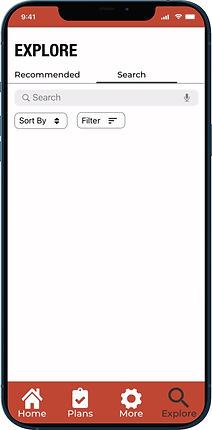
The Athleats app aims to make weight cutting healthier and more efficient for amateur athletes by focusing on diet as opposed to dehydration methods such as saunas and fluid reduction. User interviews found that amateur combat sport athletes struggle with finding and cooking healthy meals. Additionally, it was discovered that the primary reason combat sport athletes cut weight is because they want to have a size and strength advantage over their opponent. The Athleats app aims to address these findings by providing personalized meal plans for athletes based off of factors like their current weight, goal weight, weigh-in date, and more. These meal plans allow athletes to focus more on their training as opposed to trying to figure out what to cook or how to cook it. Users can follow meal plan recipes while also tracking and recording their diet via the food log. Athletes who wish to make their own meal or exercise plan can search and save meals and exercises via the explore section.
Problem
Many professional and amateur combat sport athletes such as boxers, MMA fighters, and Brazilian Jiu Jitsu practitioners have difficulty making weight for their competitions in a safe, healthy, and efficient manner. When athletes fail to make weight they may be ineligible to compete or will face monetary fines.

Process
-
Empathize: Conducted user interviews to better understand user needs and pain points
-
Define: Organized user needs and pain points by creating personas and customer profiles while defining competitor strengths and weaknesses via competitive analysis
-
Ideate: Brainstormed multiple solutions based off of competitive analysis
-
Prototype: Created wireframes and usable prototypes using Adobe XD
-
Test: Conducted usability test to identify strengths and weaknesses of prototype
1.) Empathize
User Interview Questions
-
What combat sport do you compete in or plan to compete in?
-
How long have you been training?
-
Why do you choose to cut weight to a lower weight class?
-
How does weight cutting for competitions differ from regular dieting?
-
How far in advance do you begin your weight cut?
-
What diet, if any, do you follow when cutting weight?
-
Do you consider your diet when cutting weight to be healthy?
-
What challenges do you face when planning your diet for a weight cut?
-
Aside from diet, what other methods have you used for weight cutting?
-
How do you plan and track your weight cut progress?
-
What are the most challenging aspects of weight cutting?
User Pain Points
-
Difficult and stressful finding and cooking healthy weight cut meals
-
Difficulty planning and tracking weight cut
2.) Define
Organizing Interview Feedback
-
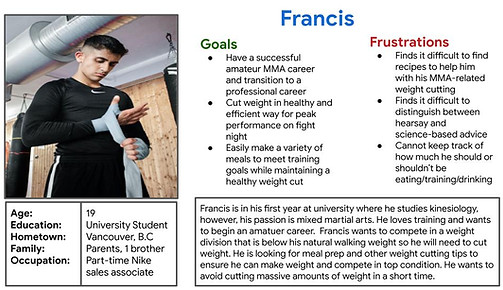
Created a persona to represent a potential user with realistic pain points and goals in order to guide design decisions
-
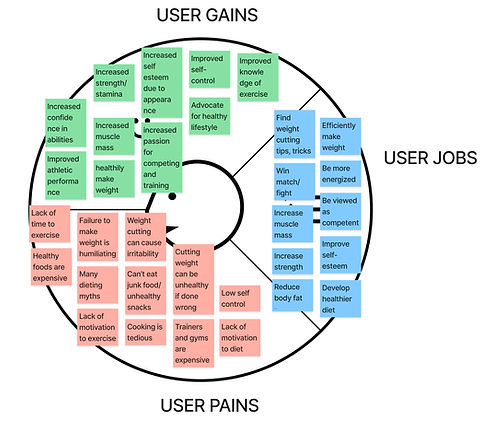
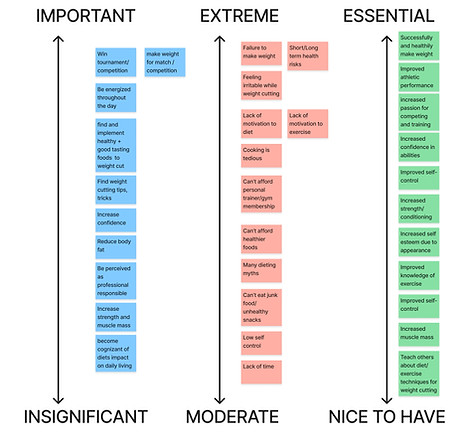
Organized user jobs, gains, and pains by level of importance via a customer profile to prioritize feature development
-
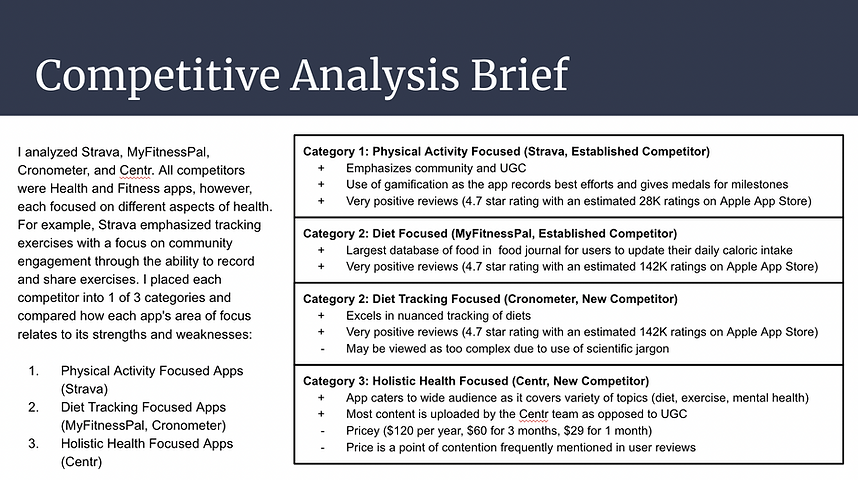
Analyzed competitors via competitive and SWOT analysis to ensure Athleats App does not repeat same mistakes as competitors while also taking best qualities from each competitor
Persona
Customer Profile
.jpg)
Customer Profile Rankings
Competitive Analysis
3.) Ideate
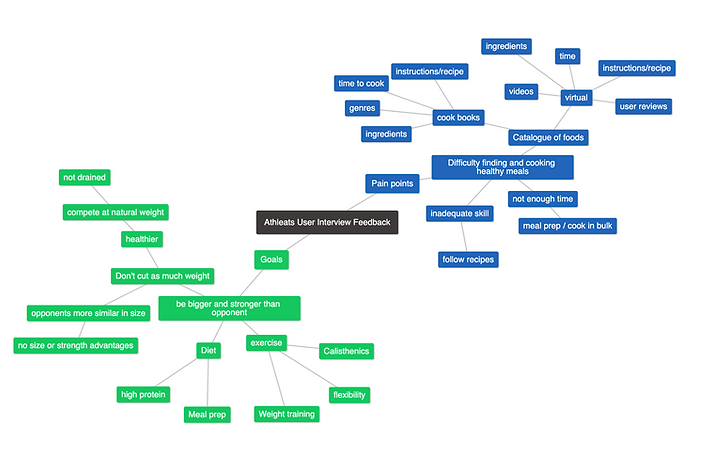
In addition to the competitive analysis, persona, and customer profiles above, I also made a mind map in attempt to come up with potential solutions to user pains and ways to achieve user goals.
Addressing User Pain Points
-
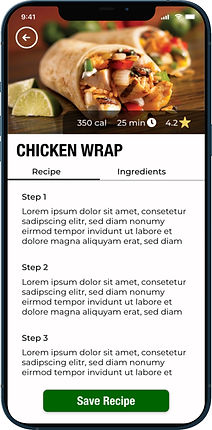
Recipe Database: Outlines ingredients and prep time for athletes who lack time and/or cooking knowledge
-
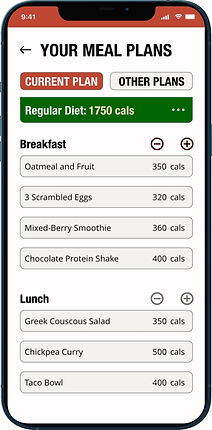
Personalized Meal Plans: Users follow personalized meal plans so they don't need to stress about planning their diet themselves and can focus on training
-
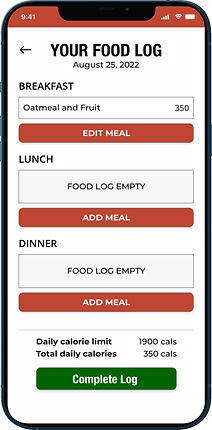
User Journal: Users can record their meals in a meal journal by picking the meal from their meal plan that they had for breakfast, lunch, and dinner.
4.) Prototype
Digital Wireframes
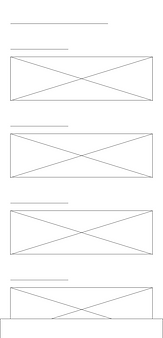
For the home screen I wanted users to have immediate access to information about their current meal plan and the ability to update their daily food journal, which would track their calories for that day. Each meal plan would include multiple options per meal to ensure some flexibility for the user.
Home Screen
This chart would allow users to see their current weight loss and trajectory if they maintain their current habits
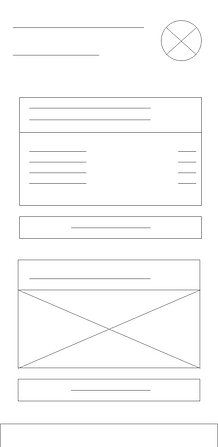
This would show users their food options based off of the meal plan they have chosen
This button would allow users to update their daily calories in their food journal by picking foods from their active meal plan
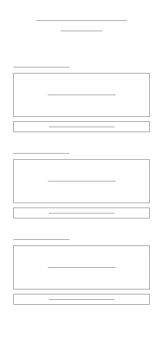
Meal Plan Screen
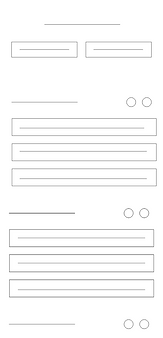
Headings such as "Breakfast", "Lunch", "Dinner", and "Snacks" would help organize meal plans
These buttons would let users add or delete items from their meal plan
These rectangular boxes represent the food options users have saved as either breakfast meals,, lunch meals, dinner meals, or snacks
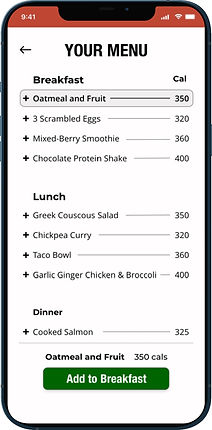
Add to Meal Plan
Screen
Each circle icon represents how users would select a meal to add to their current meal plan
This is the confirmation button that users would like to add their selected meals to their current meal plan

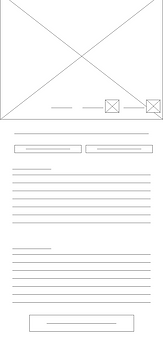
Additional Digital Wireframes
Explore

Recipe
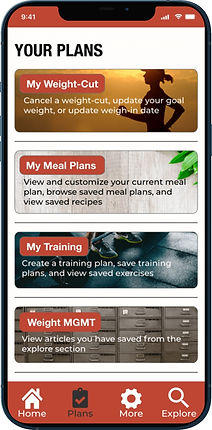
My Plans
Food Journal
Prototypes
Tracking calories via Food Log

Find and save "Chicken Wrap"

_2x.jpg)
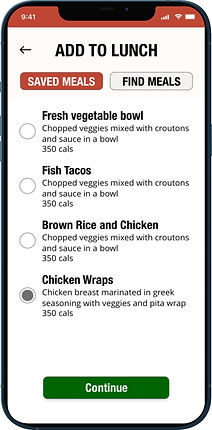
Add previously saved "Chicken Wrap" to current meal plan as a lunch meal
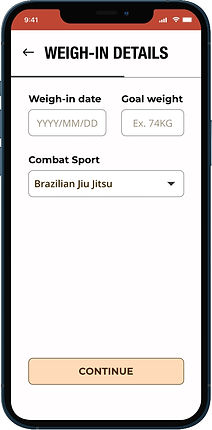
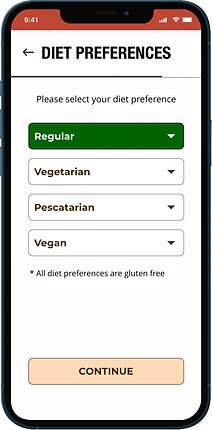
Onboarding Screens

5.) Test
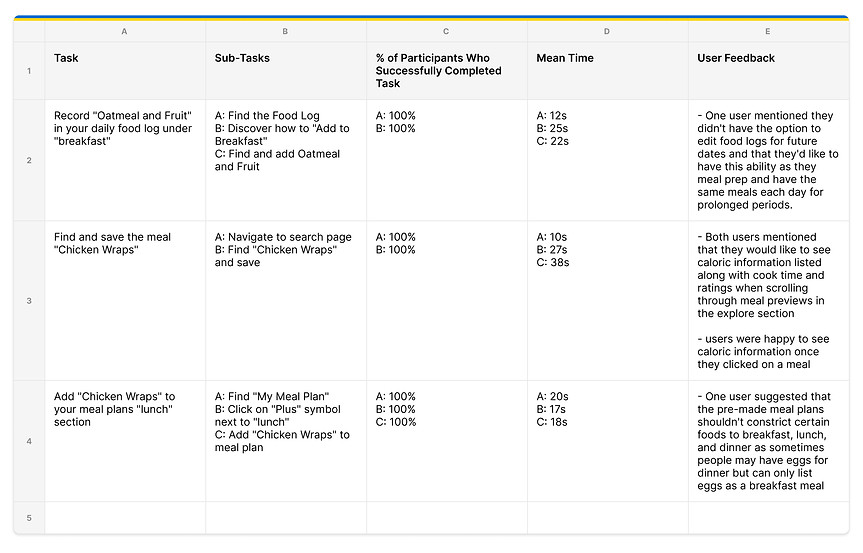
Usability Test - Moderated Usability Study
I conducted moderated usability studies with 2 amateur combat sport athletes who train out of British Columbia, Canada.
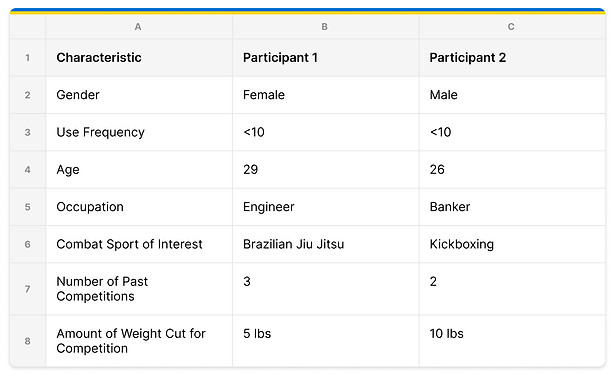
Usability Test Participants
Usability Test Results
Final Thoughts
Immediate future:
-
Giving users the ability to fill out their food log for future dates as some athletes habitually have the same exact meals each day of the week
-
Making caloric information more visible in explore section of app --> Users should be able to see this information when browsing the explore feed without having to click on a recipe
-
Conduct usability tests with more diverse test subjects such as those with disabilities to ensure accessibility
What I learned:
-
It is important to maintain scope in a project as having too many ideas can lead to headaches
-
Complex solutions don't always equate to the best solution
-
Iterate quickly and often as the first design will never be perfect
Impact:
-
If done correctly this app could help many amateur athletes weight-cut responsibly as users could use personalized diets to cut weight as opposed to reducing and sweating out fluids via dehydration methods such as the sauna


